Build once, run on Android, iOS, and Desktop with Compose Multiplatform
Let’s build something small but complete: GuessWhat game. It’s a simple “guess the hidden combination” game app, but the main focus is learning Kotlin Multiplatform and Compose Multiplatform — how to organize modules, share code, and run the same app on Android, iOS, and Desktop.
GuessWhat is a guessing game already in Play Store: https://play.google.com/store/apps/details?id=me.mitkovic.guesswhat
You have 6 tries to find out which animals are hiding behind bushes.
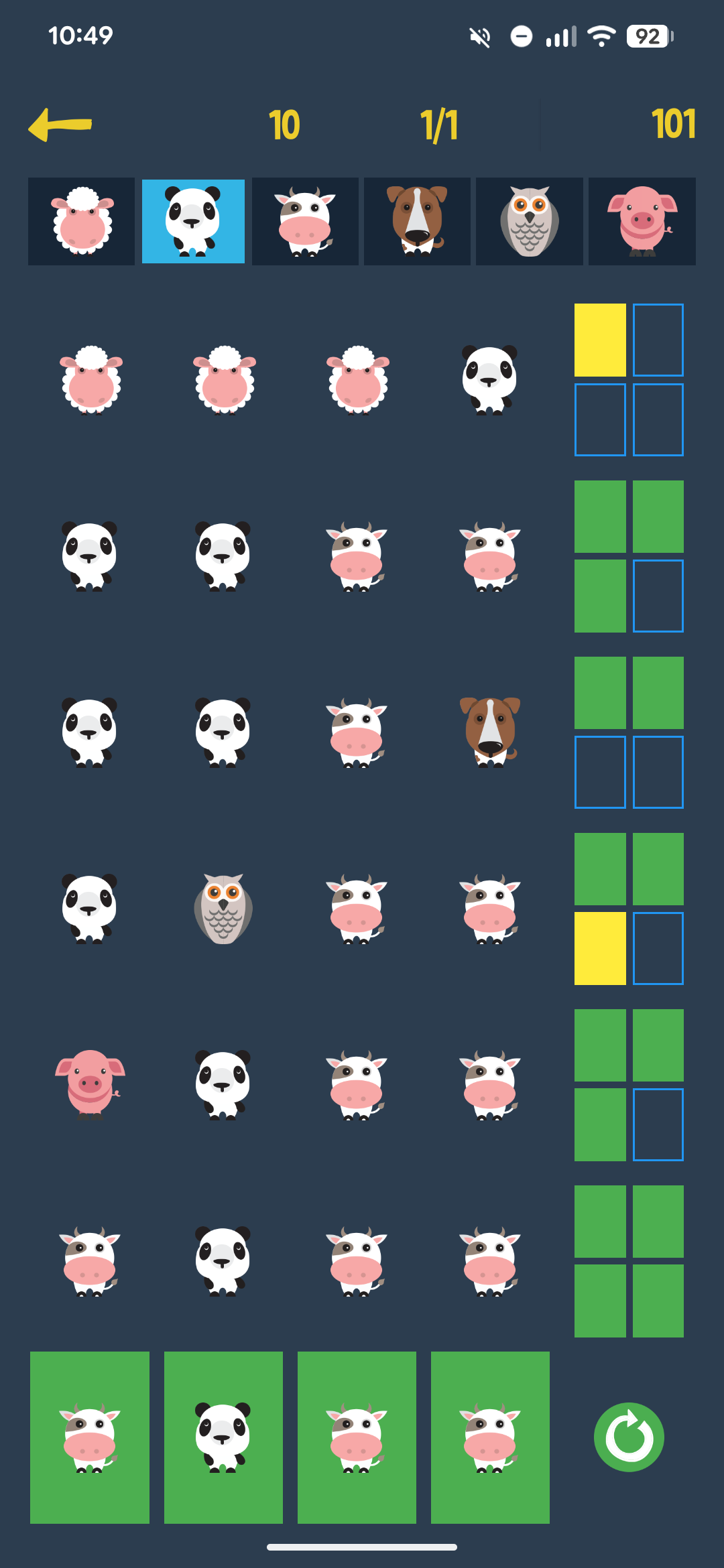
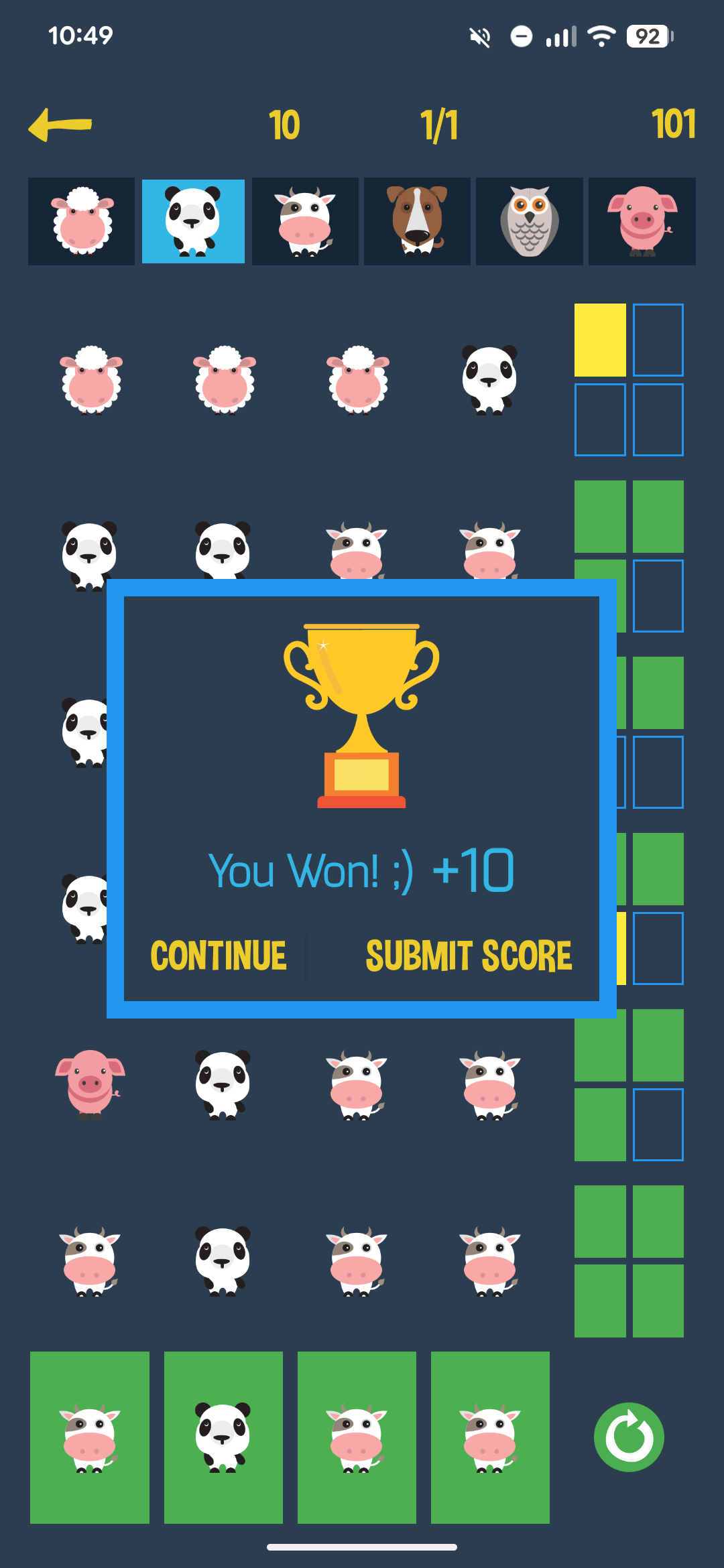
This is from GuessWhat app helping screens: Find out which animals are hiding behind the bushes.
- Select an animal on the top and click on a blue circle below.
- Pick animals as you like.
- Click on green arrow to see if you were lucky.
- Repeat until you find the right combination of animals.
- You can pick animals from the top row and also from the rows already filled with animals during play.
- When you missed everything there will be plain squares on the right of the row.
- Animal at the right place is colored green.
- Animal at the wrong place will be colored yellow.
- All four green squares is your goal.
Let’s get started
We’ll start from the official Kotlin Multiplatform project template (created either in Android Studio or via the JetBrains KMP Wizard) and then build it up step by step.
- Open Android Studio → File → New → New Project.
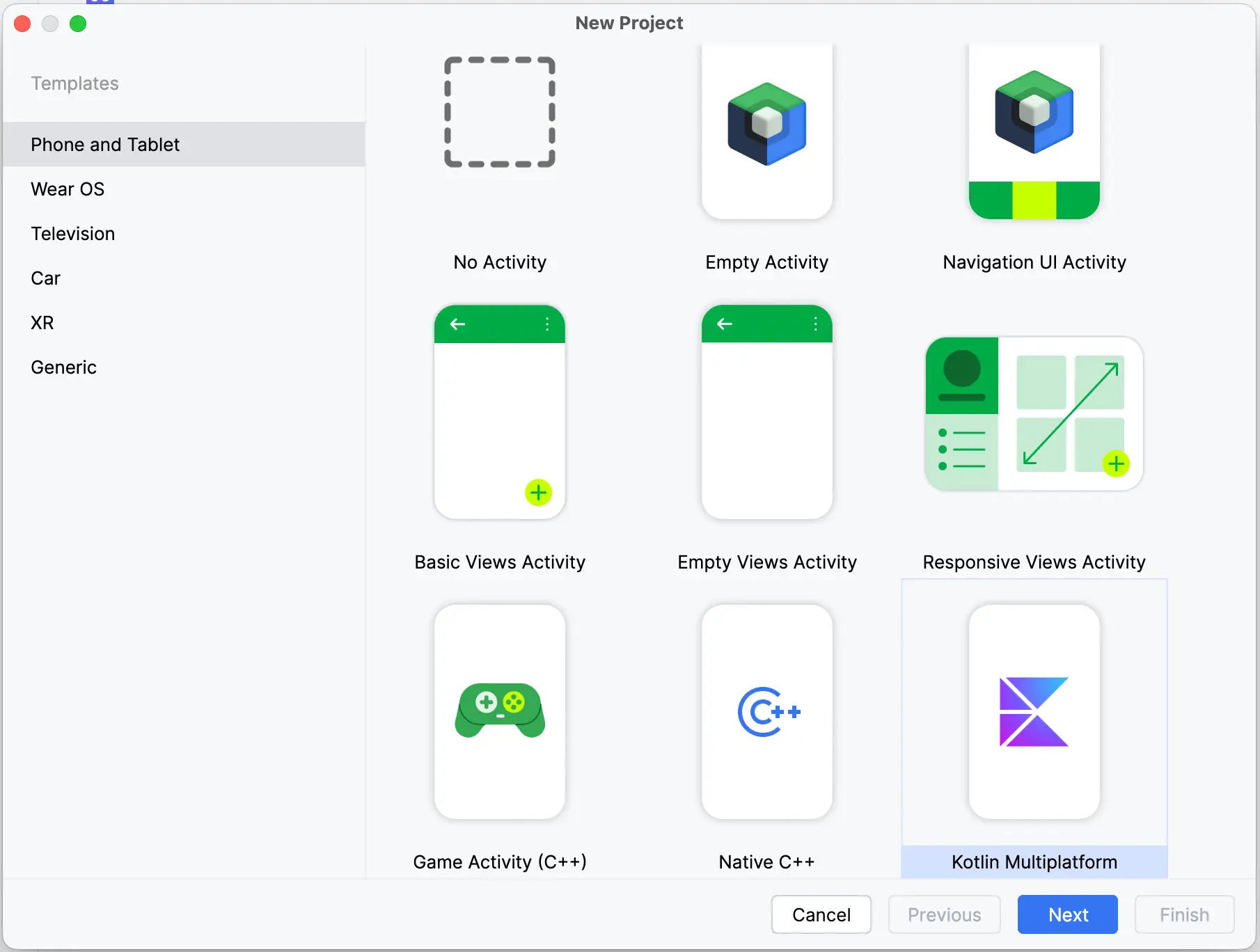
- Select Kotlin Multiplatform → Next.
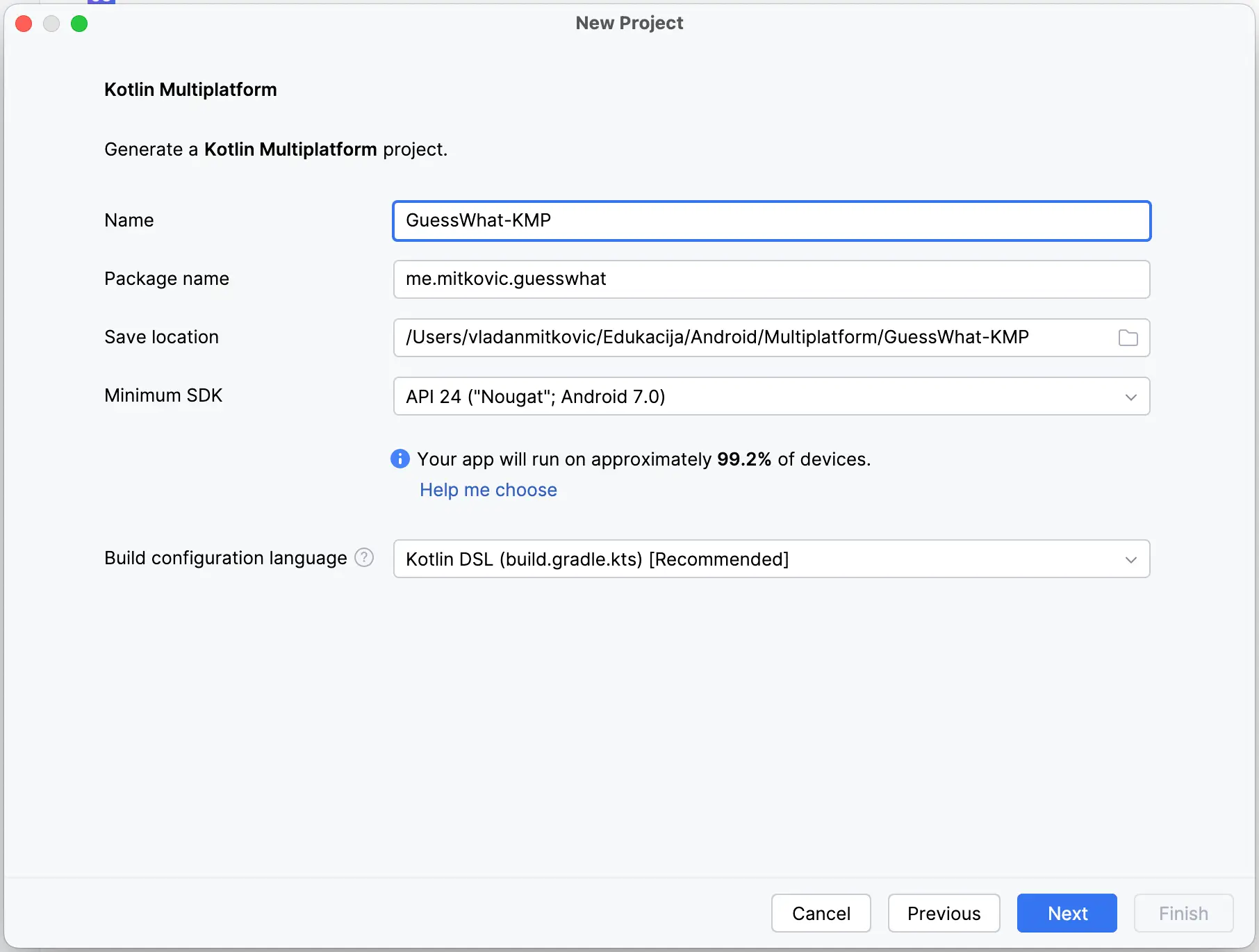
- Set:
- Name:
GuessWhat-KMP - Package name:
me.mitkovic.guesswhat - For the project location, pick a GuessWhat-KMP folder somewhere on your computer.
- → Next
- Name:
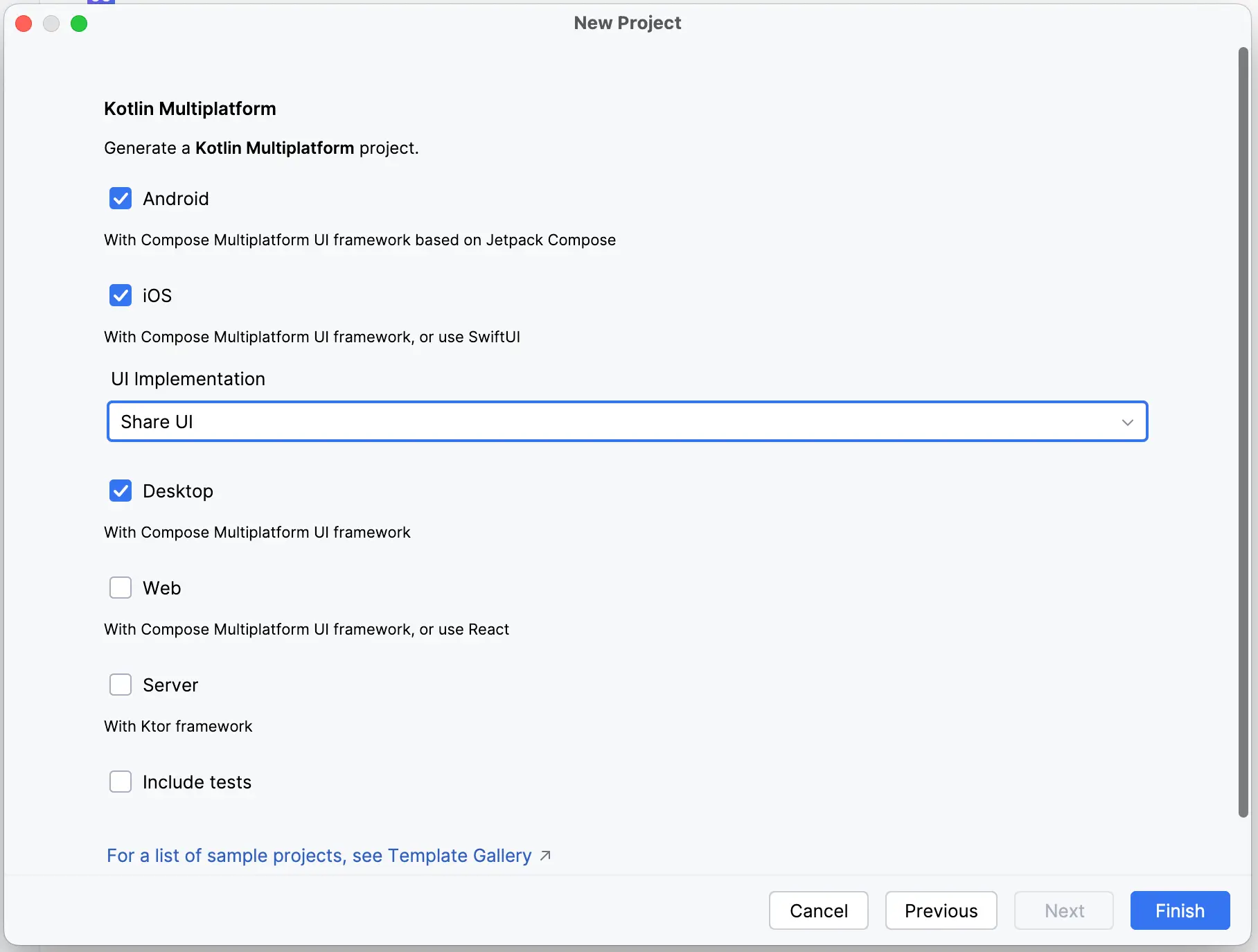
- Make sure the targets include Android, iOS, and Desktop (also Share UI).
We will add tests later. Don’t include them now. - Click Finish and let Gradle sync complete.
- In Android Studio, in the top left corner (to the right of the Project folder icon), pick Project from the drop-down menu.
In the Android Studio Terminal, type: git init
→ Enter
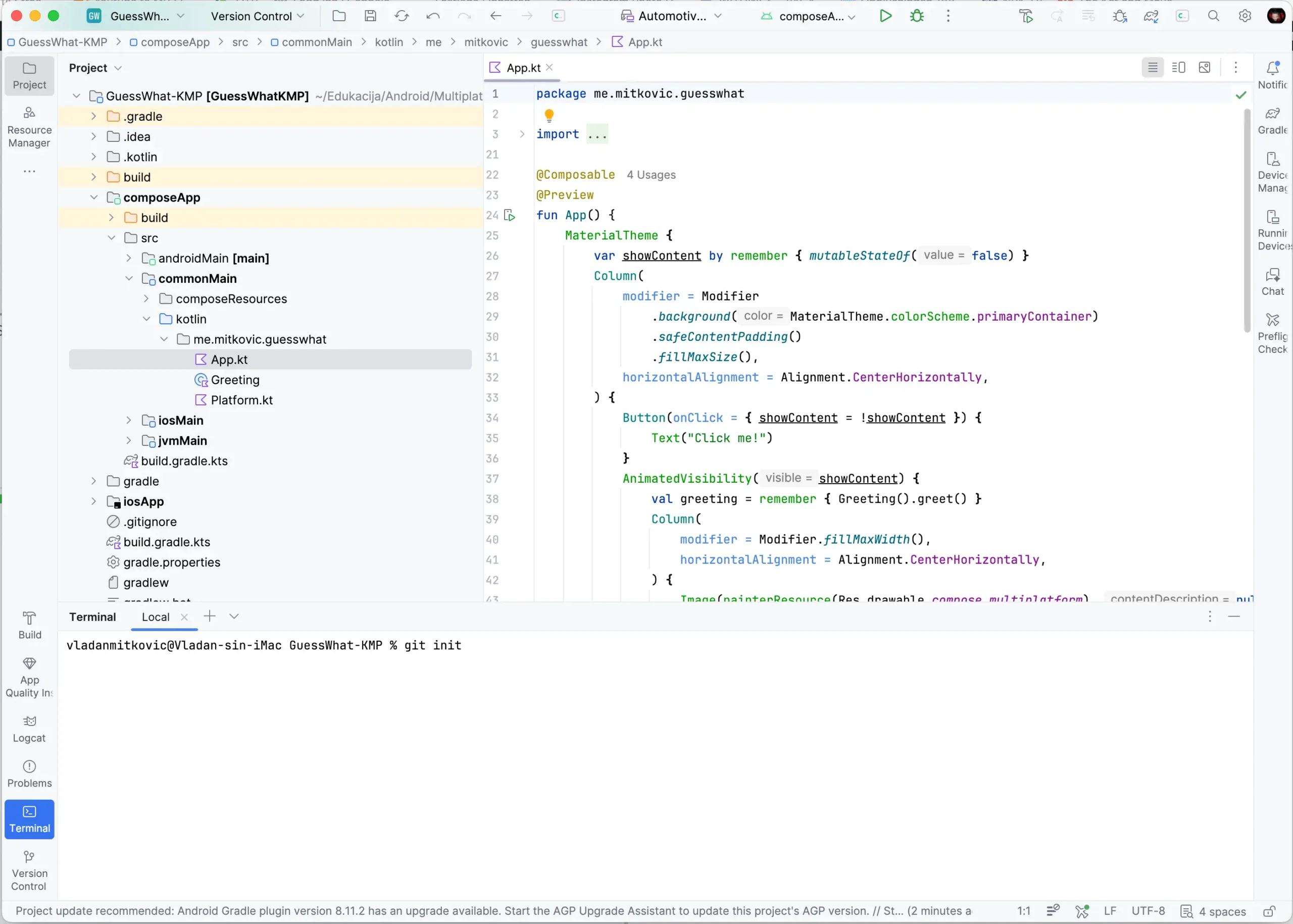
- In Android Studio, in the top right corner, below the Project icon, you will now see the Commit tab:
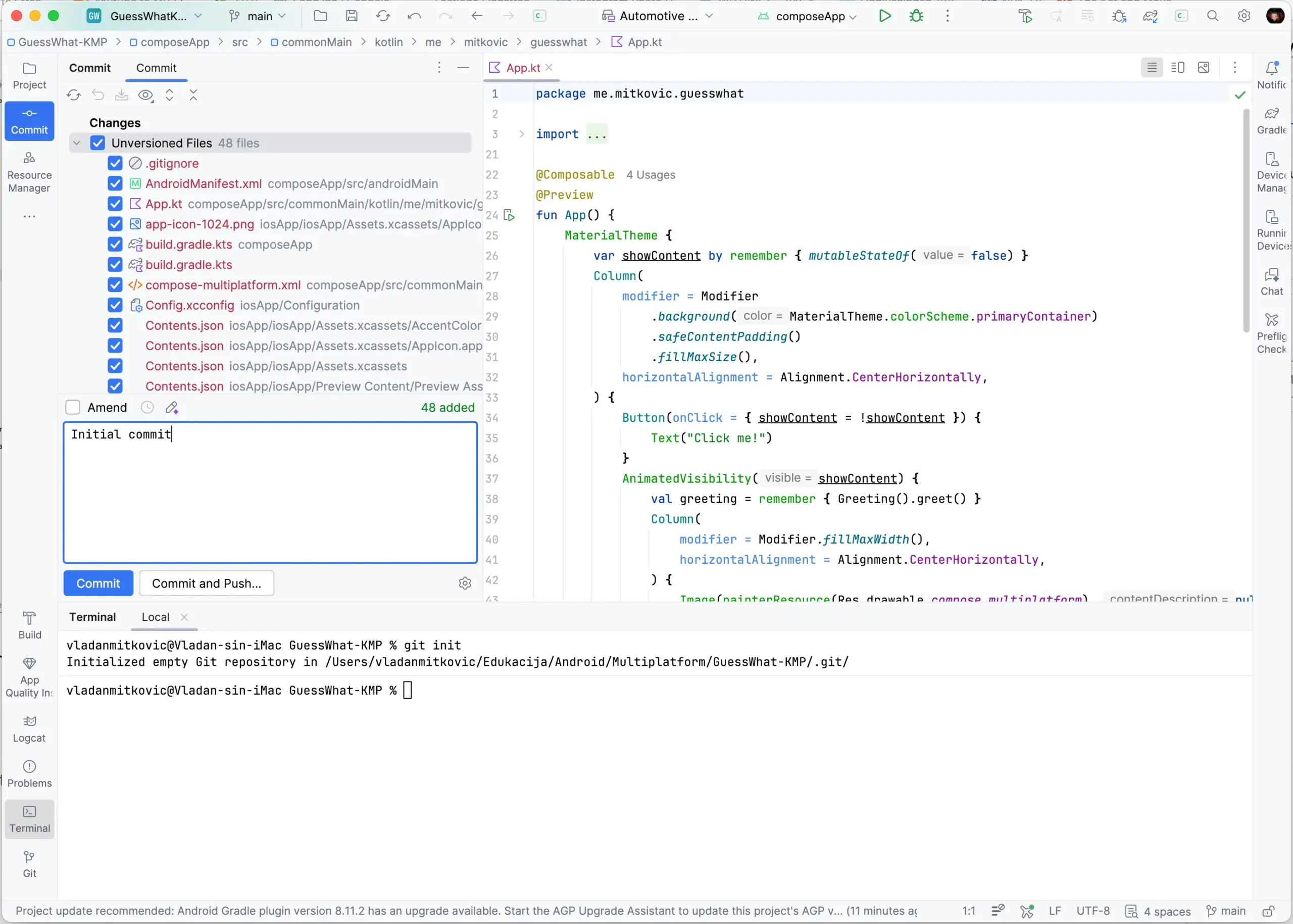
- Select all files and type in the box below: Initial commit
Click the Commit button.
Let Git do its work. - After the initial commit, let’s make sure the project runs on all targets.
Android and Desktop should run out of the box, but iOS may need two small fixes depending on your Mac/Xcode setup:- In composeApp/build.gradle.kts, add iosX64() to the iOS targets list to support the iOS Simulator on Intel Macs.
listOf(
    iosX64(), // Intel Mac simulator
    iosArm64(), // Real iOS device
    iosSimulatorArm64(), // Apple Silicon Mac simulator
).forEach { iosTarget ->
    iosTarget.binaries.framework {
        baseName = "ComposeApp"
        isStatic = true
    }
}- Open iosApp in Xcode
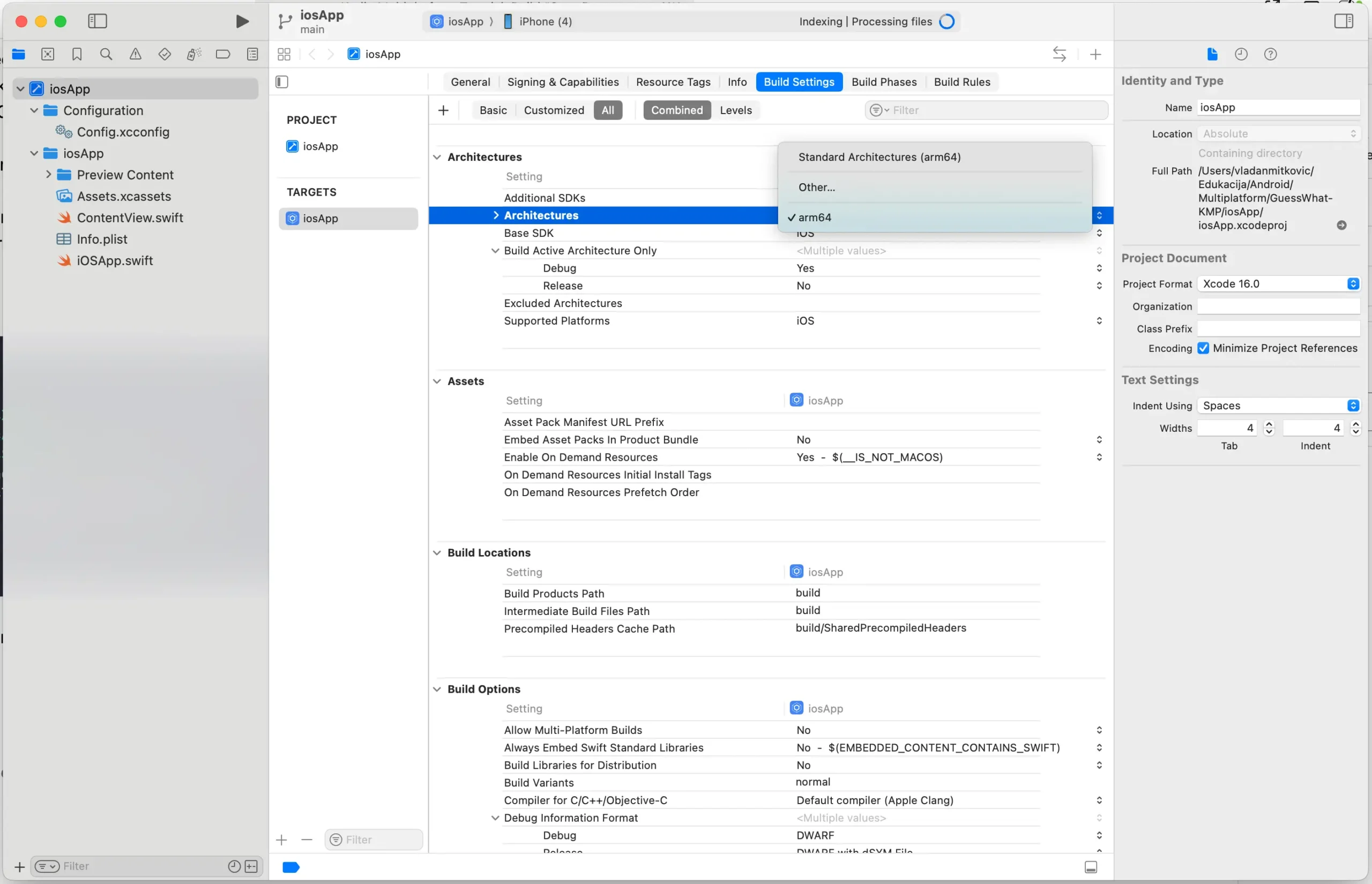
- In target iosApp → Build Settings → Architectures
- Change Architectures (ARCHS) to Standard Architectures
- Xcode will then write ARCHS = “$(ARCHS_STANDARD)” into project.pbxproj
- Verify that app runs everywhere:
- Android ✅
- Desktop ✅
- iOS ✅
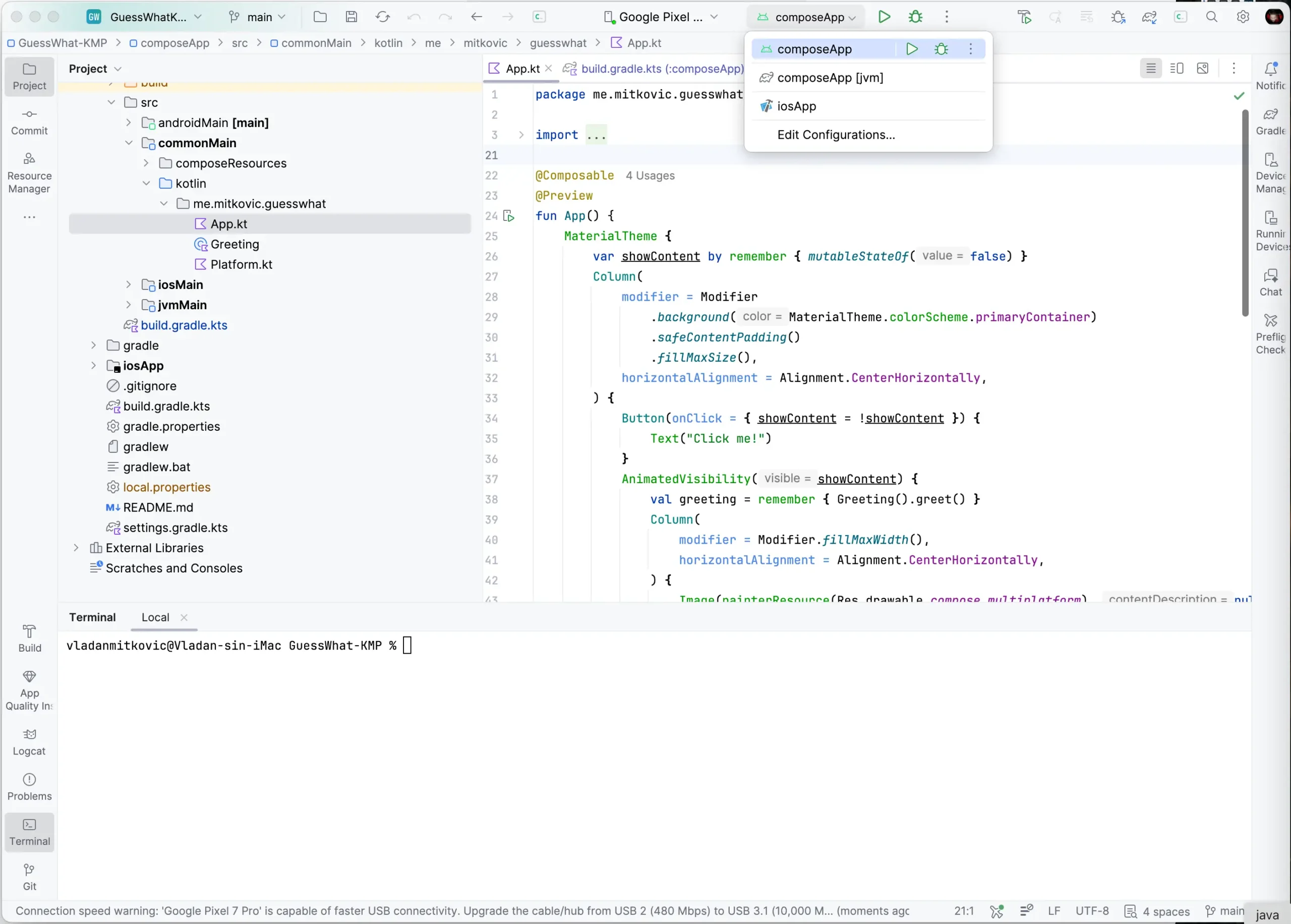
About iOS simulator:
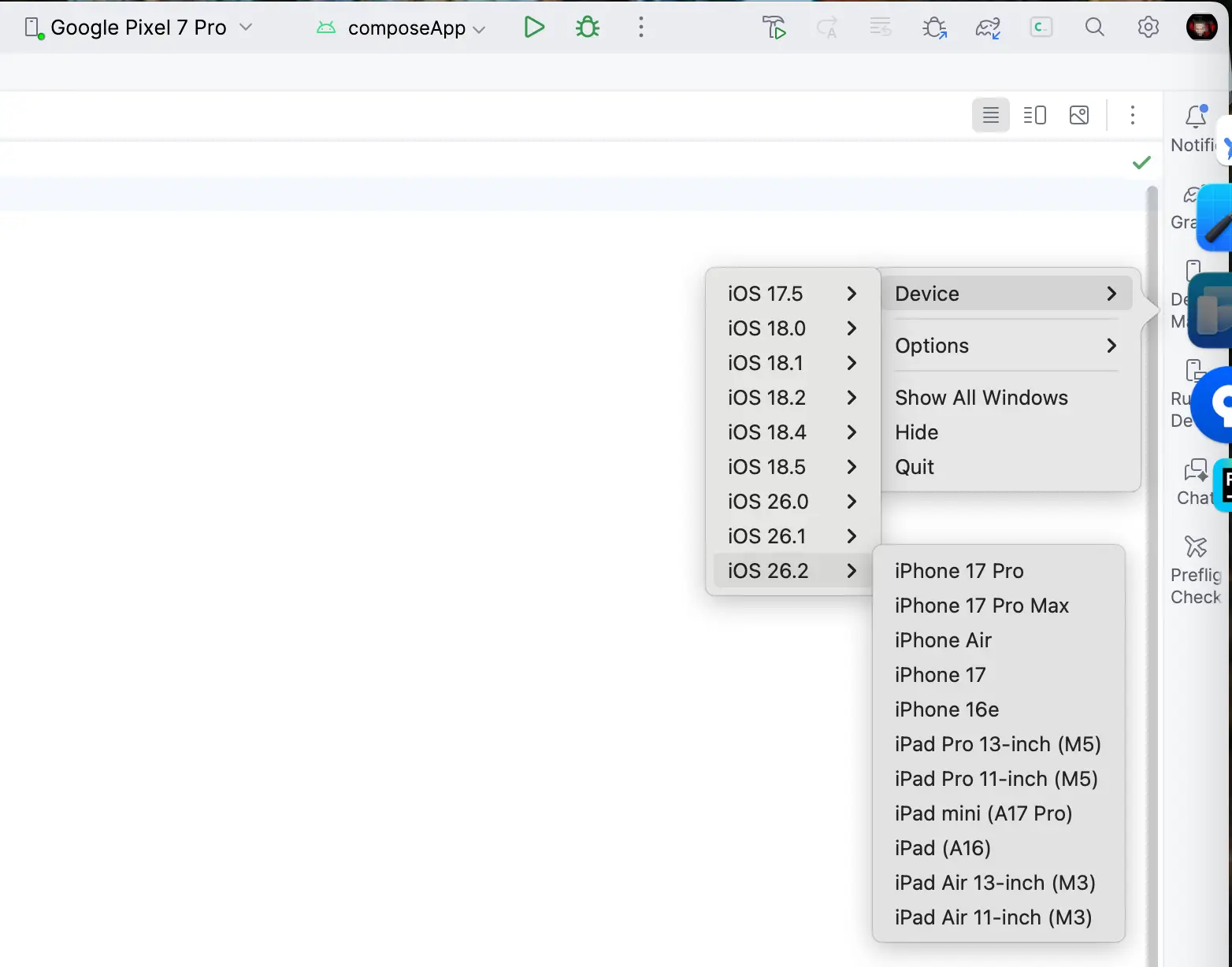
Make sure you are picking latest version like iOS 26.2 and iPhone 17 Pro or Max.